SEO & AI Search
How to Check SEO Friendly Content: 14 Checks for Any Article, Plus a Real Test
By Bibek Thapa · Updated · 12 min read
Quick Answer
To check SEO friendly content, run a free checker for the mechanical faults, then search your target query and compare your article with what ranks. Confirm the format matches, the opening answers the question, the title is honest, the page can be indexed, and another page links to it. A score alone cannot tell you whether the article deserves to rank.
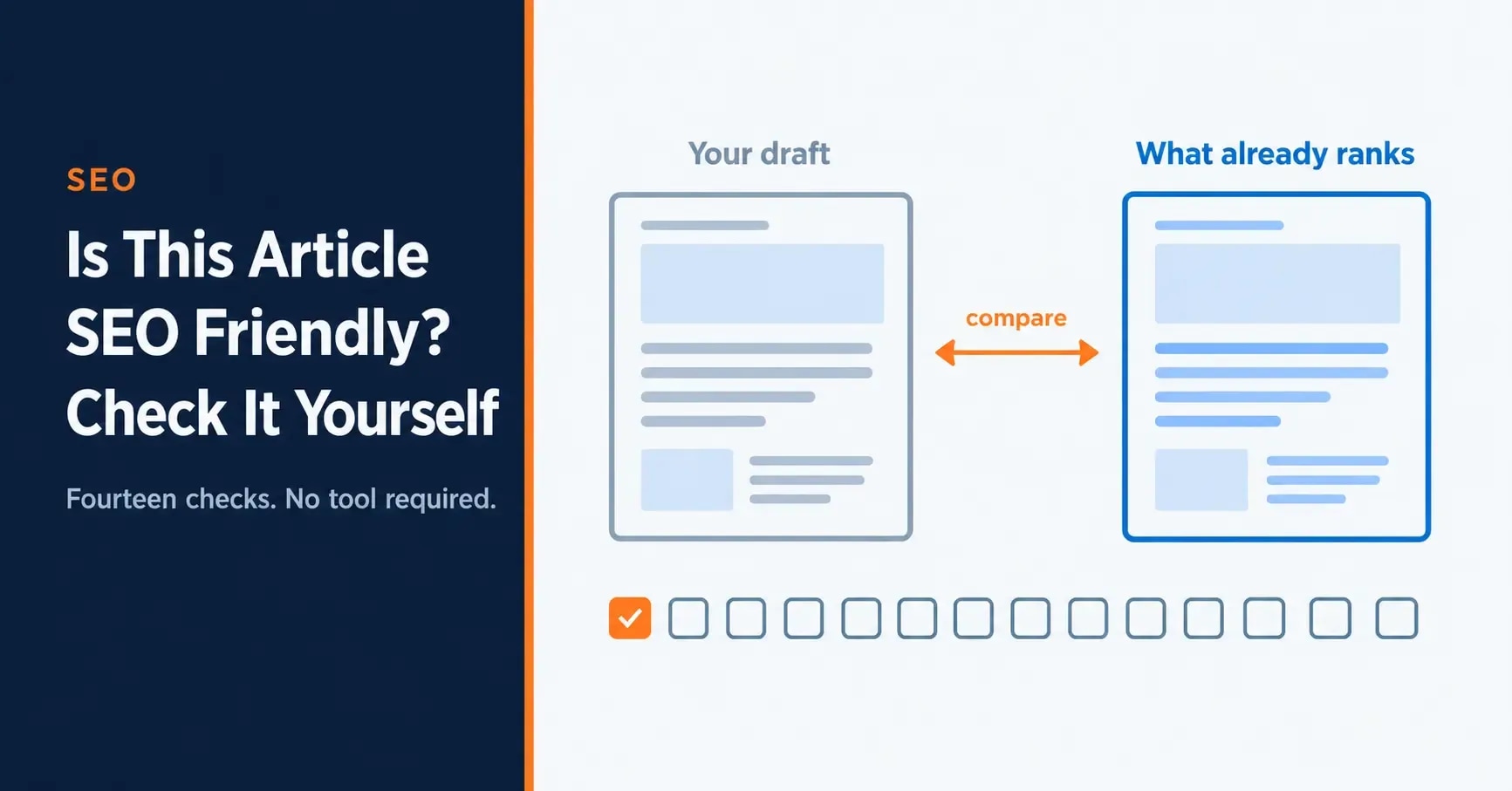
Table of ContentsOn this page
- Start with a free tool pass
- What a free checker said about this page
- What makes SEO friendly content
- The 14 checks, in one table
- Check 1: does the page match search intent?
- Checks 2 and 3: does it answer, and does it cover?
- Checks 4 and 5: is the search result honest and readable?
- Checks 6 and 7: can a person actually read it?
- Checks 8 and 9: are the images doing their job?
- Checks 10 and 11: is it connected to anything?
- Check 12: can Google index the page at all?
- Checks 13 and 14: would it survive a sceptical reader?
- Two myths about SEO friendly content
- How to check SEO friendly content after publishing
- Can ChatGPT check if an article is SEO friendly?
- Frequently Asked Questions
- Sources and References
Key Takeaways
- Check an article against the query it targets, not against a score out of 100.
- This page scored 85% on a free checker while averaging position 47 to 71 on its main queries.
- Intent match comes first because it is the one check that can invalidate all the others.
- A noindex tag makes every other check pointless, and a draft checker may not catch it on the live page.
- A page nothing links to is one Google may not find: 11 of 89 Anobee articles had no link from another article.
- Google says there is no magical word count target, so length and keyword counts are poor pass marks.
To check SEO friendly content, run a free checker for the mechanical faults, then search your target query and compare your article with what ranks. Confirm the format matches, the opening answers the question, the title is honest, the page can be indexed, and another page links to it. The whole pass takes about 15 minutes on a normal article.
Most people asking this want a quick tool answer or a proper way to judge a draft. This page gives you both, in that order. It also shows what happened when we ran the pass on this article.
Start with a free tool pass
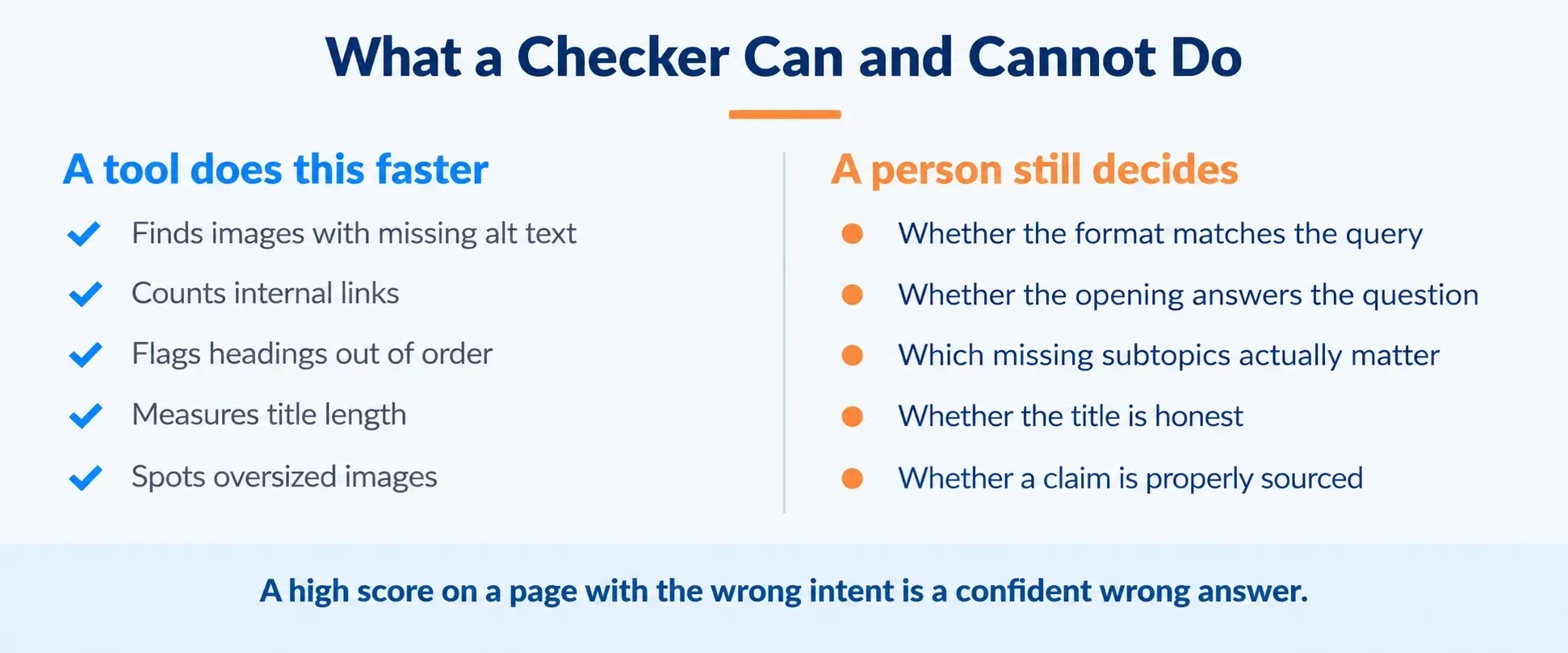
A free checker takes two minutes and catches the faults software is good at. Use one first, so you do not spend your attention on a missing alt tag.
| Your article is | Use | What it gives you |
|---|---|---|
| Already live | Seobility SEO Checker | A score and a to-do list. It allowed 3 checks a day without an account on 7 November 2026 |
| A draft in a document | SEO Review Tools Content Analysis | An editor you paste into, with a focus keyword field |
| In WordPress | Rank Math or Yoast SEO | Checks inside the editor as you write |
What a free checker said about this pageTo choose carefully, read our comparison of SEO content checker tools, which ran five free options on one article. Free SEO tools for bloggers covers the rest of a no-budget setup.
Fix what the tool reports, then stop treating its score as proof of SEO friendly content. The next section shows why.
What a free checker said about this page
On 7 November 2026 we ran this page through Seobility, in the version published on 7 October. It scored 85%.
| Seobility result | This page |
|---|---|
| On-page score | 85% |
| Meta data | 100% |
| Page structure | 95% |
| Page quality | 89% |
| Server | 78% |
| Links | 66% |
| Top task | Improve the page response time (1.18 seconds) |
| Warning | Words from the H1 not found in the text |
Search Console told a different story. From 8 October to 4 November 2026, the page averaged position 60.6 for "how to check seo friendly content", 47.1 for "how to check if article is seo friendly", and 71.4 for "how to check seo friendliness of a content". It earned no clicks.
The report did not mention the likely reason, because that sits outside what it measures. We searched "how to check if an article is seo friendly" on 7 November. Nine of the top ten results were tool or product pages, and the tenth was a Reddit thread. Google's AI Overview answered the how-to part directly. A written guide is competing on a page that mostly offers tools.
That is check 1 below, and an 85% score did not surface it. It is also why this page now opens with the tool pass.
What makes SEO friendly content
An article is SEO friendly when a search engine can find it, understand what it covers, and reasonably conclude it answers the query better than the alternatives do.
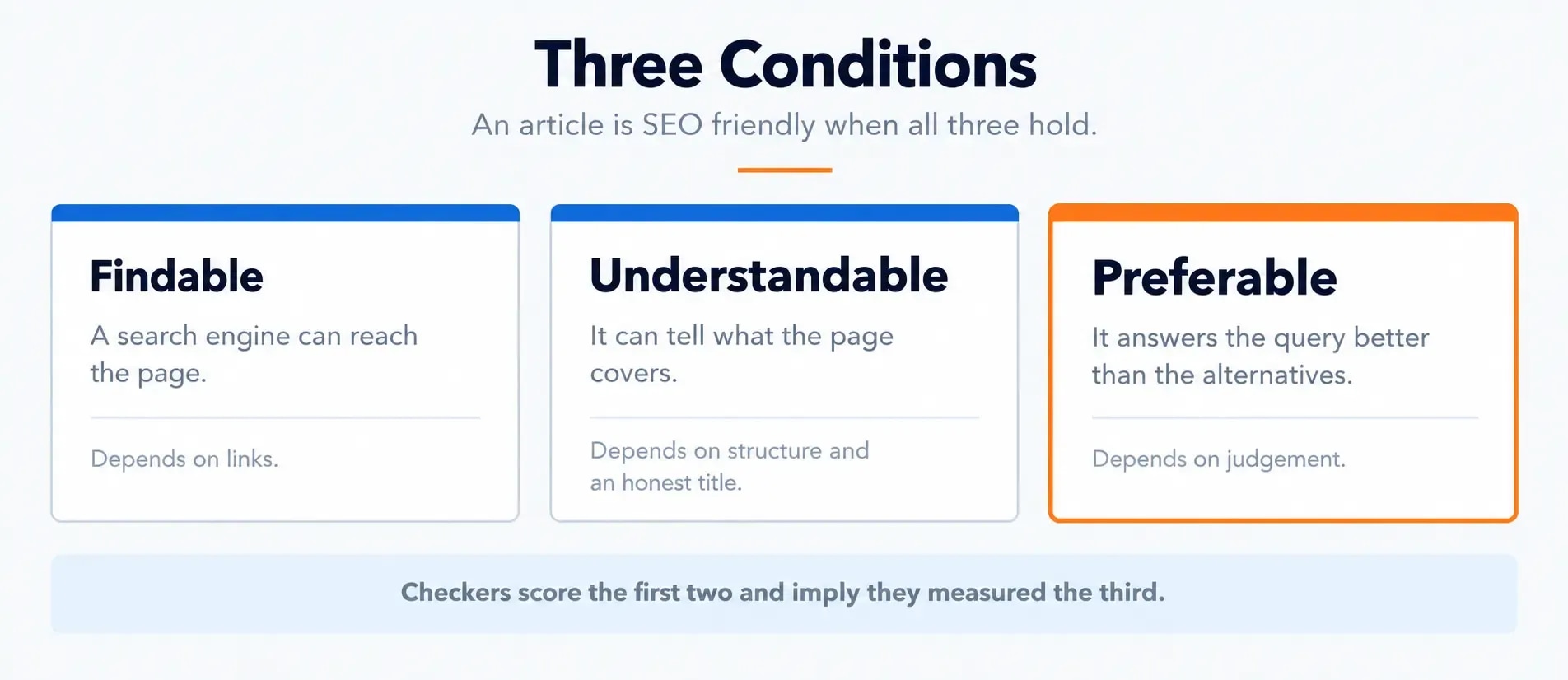
Finding is mechanical: the page has to be indexable and reachable through links. Understanding is structural: headings, a title that matches the content, clear language. Preferring is editorial, because it depends on what the competing pages already do. Most checkers score the first two and imply they have measured the third.
The 14 checks, in one table
Run these in order. Each takes a minute or two. The last column shows where a tool can do the work for you.
| # | Check | How to tell | Fails if | Tool can do it? |
|---|---|---|---|---|
| 1 | Intent match | Search the query and study the top five | Yours is a different kind of page from all of them | No |
| 2 | Answer position | Read your first paragraph alone | The question is not answered in it | No |
| 3 | Subtopic coverage | List competitors' H2s you do not have | Two or more genuine subtopics are missing | Partly |
| 4 | Title honesty | Read the title, then the page | It promises more than the page delivers | No |
| 5 | Title, description, URL | Preview the search result | The title runs well past 60 characters, the description is missing, or the URL is unreadable | Yes |
| 6 | Headings | Read the headings on their own | Several H1s, skipped levels, or labels that say nothing | Partly |
| 7 | Scannable on a phone | Open it on a phone | Walls of text with no visual break | No |
| 8 | Alt text | Check every image | Any alt is empty or stuffed with keywords | Partly |
| 9 | Image weight | Check file sizes | A file is far larger than its display size needs | Yes |
| 10 | Links out | Count contextual links in the body | None appear, although relevant pages exist | Yes |
| 11 | Links in | See what links to this page | Nothing does | Site crawl only |
| 12 | Indexable | Look for a noindex rule | The page carries one by accident | Yes, once live |
| 13 | Claims sourced | Find every number and date | A figure has no source or date | No |
| 14 | Factual errors | Reread as a sceptic | A reader could easily disprove something | No |
The rest of this page explains the checks where the judgement is not obvious.
Check 1: does the page match search intent?
Search intent is what the searcher actually wants, and the fastest way to read it is to look at what Google already rewards. Open a private window, search your target query, and note the format of the top five results. Are they guides, comparisons, lists, tools, product pages, or definitions?
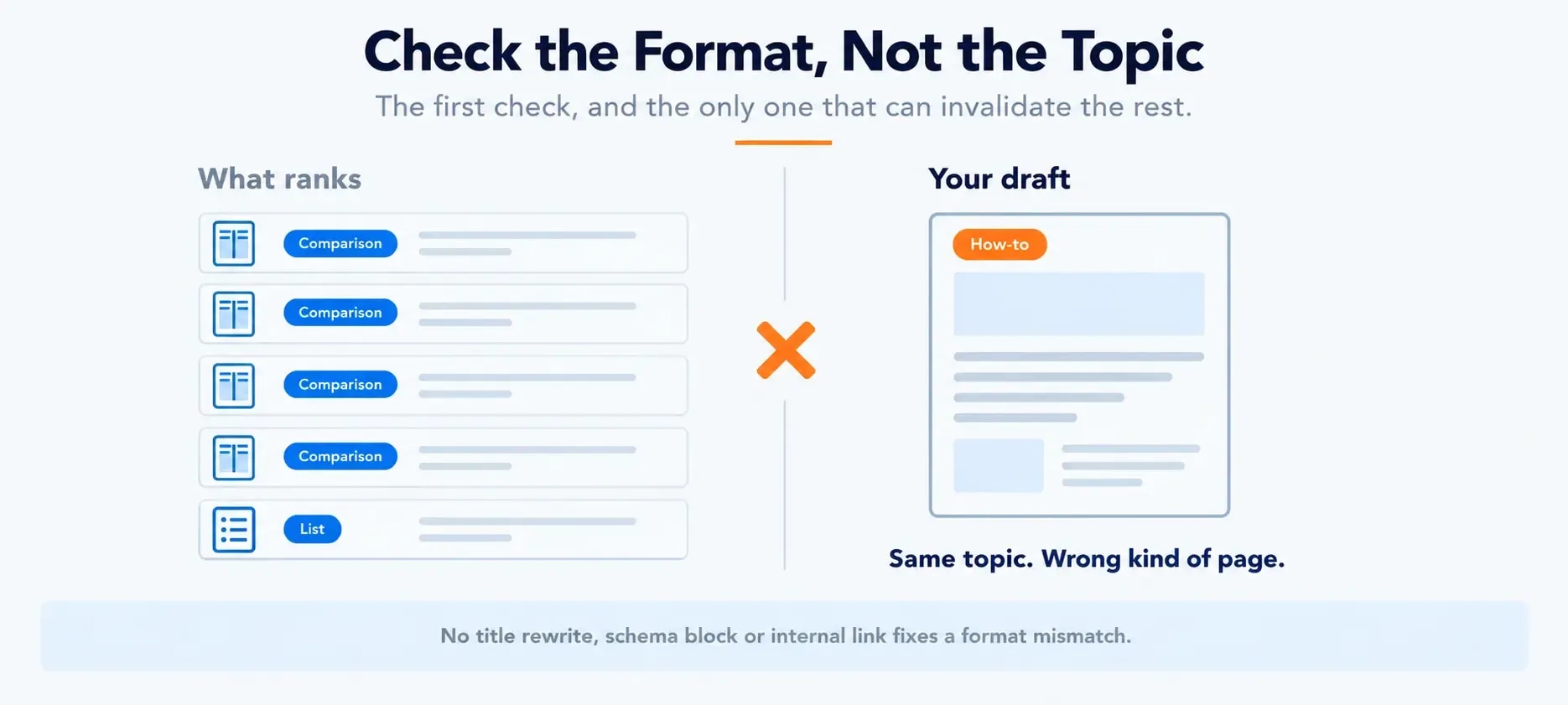
If every result is a comparison and your draft is a how-to, the content type is wrong. SEO friendly content in the wrong format still loses, and nothing further down this list will fix that. A perfectly structured, well-linked, properly sourced article of the wrong type does not compete. This page failed the same way once: its title promised a content checker while the body taught readers how to write blog posts.
However, a mixed result is harder, and our own test above is one. When tools hold most positions and an AI Overview answers the how-to, pick the job you can do best. Serve the other one briefly. Analysing search intent covers how to read a results page for format rather than topic.
Checks 2 and 3: does it answer, and does it cover?
These are two separate questions that people tend to merge.
Answering is about the opening. Read your first paragraph on its own, with the headline removed. If someone landed on it cold, would they have the answer? Burying it under three paragraphs of context is a common weakness in otherwise good drafts.
Covering is about the body. Open the top three results and list every H2 and H3 they carry that you do not. Then cross off the padding, because plenty of it is. What survives is a genuine gap, and it is usually two or three subtopics rather than a missing thousand words.
Checks 4 and 5: is the search result honest and readable?
Honesty matters more than length. Read the title, skim the page, and ask whether it delivers. A complete guide that covers three of eight subtopics makes a promise readers will see broken.
For length, Google says there is no limit on a title element, but the title link is truncated as needed, typically to fit the device width [1]. Keeping it near 60 characters is a display choice, not a ranking one.
The description and URL deserve the same quick look. Google's Starter Guide describes a good meta description as short and unique to one page. It also suggests words in the URL that are useful to people [2]. Google may still build the snippet from the page itself, so write the description for the reader [3].
Avoid formula titles too. The pattern of number plus adjective plus promise produces pages that look like every other result. The on-page SEO checklist goes further on titles and on the wider list of 19 checks.
Checks 6 and 7: can a person actually read it?
Headings are the article's outline: one H1, no skipped levels, and wording that describes rather than labels. "How to find orphan pages" tells a reader what follows. "Orphans" does not.
Then open the draft on a phone. Formatting that looks airy on a laptop often reads as a wall on a small screen, so break any paragraph that runs well past five lines.
Checks 8 and 9: are the images doing their job?
Alt text describes what the image shows, for a reader who cannot see it. Text stuffed with the target phrase fails that purpose. Software can confirm alt text exists, but only a person can confirm it is accurate.
An oversized hero image is often the slowest thing on a page. Image optimisation covers formats, dimensions and lazy loading.
Checks 10 and 11: is it connected to anything?
Links out are easy to remember. Links in are the ones people forget.
Google says it "primarily finds pages through links from other pages it already crawled" [2]. When we audited 89 Anobee articles on 6 November 2026, 11 had no link from another article's body and 35 had two or fewer. All 89 passed the title and meta description checks, and a checker reading one URL cannot see what links to it.
Even SEO friendly content needs a way in. So before publishing, decide which existing pages should link to this one, and add those links there. The internal linking guide covers how to find pages with no inbound links across a site.
On anchor text, Google says it should be "descriptive, reasonably concise, and relevant to the page that it's on and to the page it links to" [4]. On how many links to include, the same page says there is "no magical ideal number of links a given page should contain" [4].
Check 12: can Google index the page at all?
This check can undo all the others. A noindex rule, set in a meta tag or an HTTP header, tells Google to drop the page from its results [5]. Leftover staging settings or a CMS checkbox can carry one into a live article.
A draft checker cannot see this, because the tag only exists on the rendered page. So view the live source and search for "noindex", or use URL Inspection in Search Console. Do this first after publishing.
Checks 13 and 14: would it survive a sceptical reader?
The last two checks are about trust, and a tool cannot run them for you.
Find every number, date, price and named statistic, and ask where each one came from. Then reread as someone who disagrees with you. SEO friendly content that a reader can disprove in one search has a trust problem no tool will flag. Google's guidance on helpful content asks whether the content has "any easily-verified factual errors" and whether it provides "original information, reporting, research, or analysis" [6]. Both are reasonable questions to ask of your own draft.
Two myths about SEO friendly content
Keyword density. The advice to mention a phrase once every two hundred words is a leftover from an era when search engines counted occurrences. Google's Starter Guide warns that keyword stuffing is against its spam policies [2]. An article covering the concepts around a subject reads as being about that subject, even when the exact phrase appears only a few times.
Word count. Google says "there's no magical word count target, minimum or maximum" [2]. Backlinko's study of 11.8 million results put the average first-page result at 1,447 words, and it found word count evenly distributed across the top 10 [7]. Length is a rough sense of what a topic takes. Treat it as a target and you will pad.
How to check SEO friendly content after publishing
Every check above still applies, and three more sources open up once a page is live.
- URL Inspection shows whether Google has indexed the page and which canonical it chose.
- The Performance report shows which queries the page appears for and at what position. That is Google telling you what it thinks the page is about, which is often not what you intended.
- A URL checker can now read the rendered page, including speed, canonical and robots settings.
Across a whole library, a content audit is the structured version of the same exercise.
For a whole website, a page-level pass is the wrong tool. A site needs a crawl, and common technical SEO mistakes is a good place to start.
Can ChatGPT check if an article is SEO friendly?
It can help with parts of the job. Paste a draft in and it can flag a weak opening or a thin section. However, it cannot replace check 1 unless it can see the live results for your query, so verify any claim about rankings. We gave it four real SEO jobs on Anobee's own pages, and that test shows what it got right and wrong.
Frequently Asked Questions
How do I check if an article is SEO friendly?
Run it through a free checker for the mechanical faults, then search the query you are targeting and open the top three results. Compare the kind of page, the subtopics covered, and how quickly each one answers. Then confirm your own basics: an honest title, clear headings, alt text, an indexable page, and at least one internal link pointing at it.
Do I need a tool to check SEO friendly content?
No. Every check on this page can be run by reading the article against the live search results. A tool speeds up the mechanical parts, such as missing alt text or heading order, and it is worth using once you publish often. It cannot judge whether your page answers the question better than the pages above it.
What makes content SEO friendly?
Content is SEO friendly when a search engine can find it, understand what it is about, and reasonably conclude it answers the query better than the alternatives. That means it is indexable, reachable through links, clearly structured, honest in its title and headings, and complete on the question it addresses.
Is a high score on an SEO checker enough?
No. A score measures what software can count. This page scored 85% on Seobility on 7 November 2026 while averaging well below page one, and the report never mentioned search intent. Treat a score as a list of faults to fix, not as a verdict.
How many times should a keyword appear in an article?
There is no correct number. Google's Starter Guide warns that keyword stuffing is against its spam policies, and an article that covers the concepts around a topic reads as being about that topic even when the exact phrase appears only a few times.
How do I check an article that is already published?
The same checks apply, with three additions. URL Inspection in Search Console shows whether Google has indexed the page, the Performance report shows which queries it appears for, and any free URL checker can now read the live page.
Sources and References
- Google Search Central: Influencing your title links ↩
- Google Search Central: SEO Starter Guide ↩
- Google Search Central: Control your snippets in search results ↩
- Google Search Central: Make your links crawlable ↩
- Google Search Central: Block Search indexing with noindex ↩
- Google Search Central: Creating helpful, reliable, people-first content ↩
- Backlinko: We analyzed 11.8 million Google search results ↩
Was this guide helpful?
Your answer helps Anobee improve future updates.

Written by
Bibek Thapa
AI-Powered Digital Growth Strategist
Bibek Thapa works across AI workflows, SEO, AI search optimization, content strategy, website growth, and productivity systems at Anobee.
- AI workflows
- Digital growth
- SEO
- GEO
- AEO
- Content strategy
- Website growth