SEO & AI Search
Rank Math Setup Guide: The Settings That Actually Matter
By Bibek Thapa · Updated · 19 min read
Quick Answer
A reliable Rank Math setup starts with one active SEO plugin, the correct site identity, only indexable canonical URLs in the sitemap, schema that matches visible content, and Search Console verification. Choose Easy mode for a simple site or Advanced for granular control. Treat the plugin's score as an editing checklist, not a promise of rankings.

Table of ContentsOn this page
- Recommended starting settings
- What the free version actually covers
- Before you start the Rank Math setup
- Installing and starting the wizard
- Completing the wizard
- Settings worth reviewing after the wizard
- Which modules to enable
- Verifying your Rank Math setup
- Troubleshooting
- Rank Math setup mistakes worth avoiding
- The bottom line
- Frequently Asked Questions
- Sources and References
Key Takeaways
- Back up the site and import existing SEO data before deactivating your previous SEO plugin.
- Rank Math requires WordPress 6.7 or higher, so check that before installing rather than after.
- Easy mode covers the essentials, Advanced exposes redirects and granular control, and you can switch later.
- Redirections and unlimited keyword optimisation are in the free version, which is unusual among SEO plugins.
- Free gives 24 schema types against 840 or more in PRO, which is the clearest free-versus-paid boundary.
- Include only canonical, indexable URLs in the sitemap, then submit the sitemap index in Search Console.
- A field reading "not set" usually means a missing variable or an unmapped import, not a broken install.
You can click through the wizard in a few minutes. A good Rank Math setup is a different job. Settings that suit a small blog can be wrong for a store, a multi-author publication, or a site carrying years of existing SEO data.
This Rank Math setup guide covers the decisions rather than the clicks: migrating without losing metadata, choosing a mode, configuring titles and sitemaps, assigning truthful schema, and checking the result outside the plugin. You will not find a blanket instruction to hide every archive or to change a permalink structure that already works.
Verification note. Checked against Rank Math's own documentation and the WordPress.org listing on 8 October 2026, which showed version 1.0.280, last updated two days earlier, with over four million active installations and a requirement of WordPress 6.7 or higher [3]. Menu labels change between releases, so follow the linked documentation if your screen differs.
Recommended starting settings
The short version. Treat it as a starting point, because your post types and archives still need individual review.
| Area | Recommended starting point | Review before enabling |
|---|---|---|
| Setup mode | Easy for simple sites, Advanced for granular control | Extra controls do not automatically improve SEO |
| Import | Import before deactivating the old plugin | Compare metadata and schema on sample pages |
| Site identity | Select the accurate site and entity type | Add the correct logo and social image |
| Analytics | Connect the matching Search Console property if useful | The account is optional; verify the property |
| Sitemap | Include useful, indexable content | Exclude private, duplicate or noindex URLs |
| Schema | Set a truthful post-type default | Override it when a page has another purpose |
| 404 Monitor | Start with Simple mode | Use Advanced briefly for deeper diagnosis |
| Redirections | Enable when Rank Math owns URL changes | Redirect only to a clear replacement |
| Image SEO | Describe meaningful images accurately | Never force keywords into every alt attribute |
What the free version actually covers
Worth settling early, because it changes how much of the rest matters.
Rank Math gives away more than most SEO plugins, and the boundary is not where people assume.
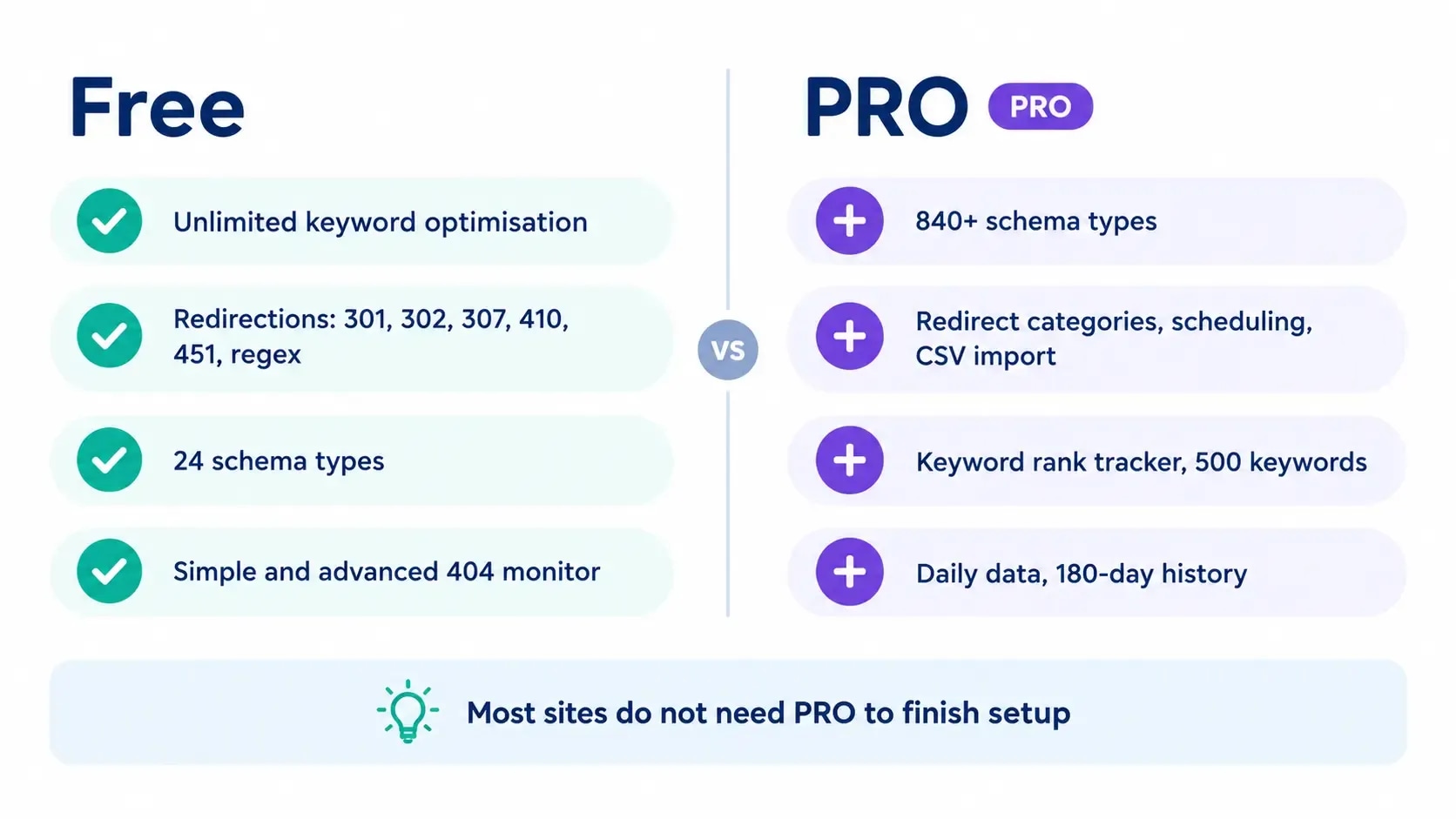
Redirections and unlimited keyword optimisation are both free [2].
| Feature | Free | PRO |
|---|---|---|
| Keyword optimisation | Unlimited | Unlimited |
| Redirections | 301, 302, 307, 410, 451 and regex | Adds categories, scheduling, CSV import and .htaccess sync |
| Schema types | 24 | 840 or more |
| 404 monitor | Simple and Advanced modes | Adds 404 log export |
| Keyword rank tracking | None | 500 keywords |
| Google data refresh | Every 3 days, 90 days kept | Daily, 180 days kept |
| Setup wizard modes | Easy, Advanced | Easy, Advanced, Custom |
All verified on Rank Math's own comparison page, 8 October 2026 [2].
For pricing, PRO is €7.99 a month billed annually and renews at €8.99, covering unlimited sites you own personally. Client sites are excluded and need the Business tier. The three-way plugin comparison sets out the full ladder alongside Yoast and All in One SEO.
The honest reading of that table: for most sites the free version is enough, and the upgrade case is usually schema breadth or rank tracking rather than anything structural.
Before you start the Rank Math setup
Four things, in this order.
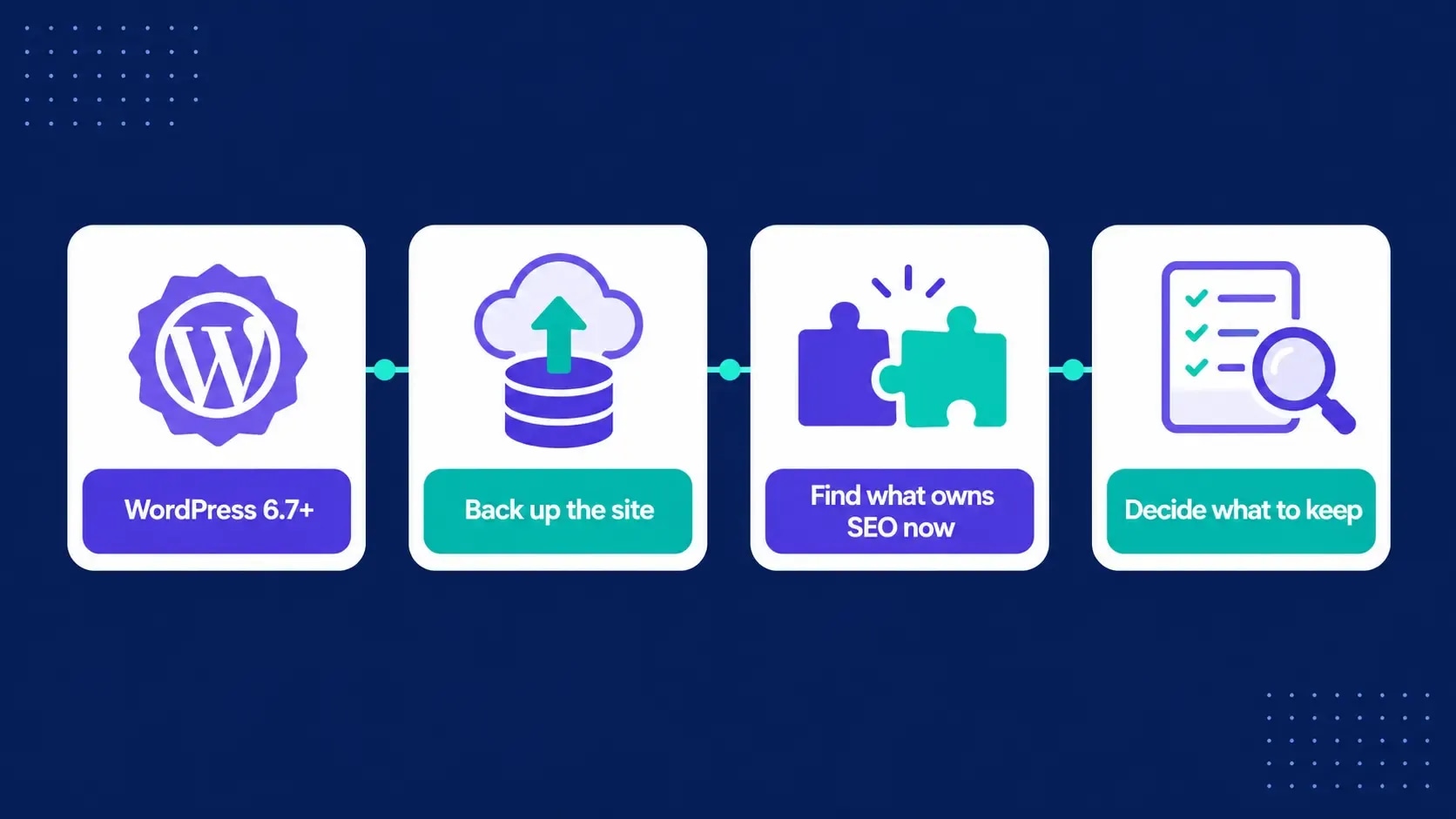
Check your WordPress version. Rank Math requires 6.7 or higher [3]. This is the step people skip and then diagnose as a plugin fault.
Back up the database and files. Not because Rank Math is risky, but because you are about to change how every page's metadata is generated.
Identify what currently owns your SEO output. Another plugin, a theme feature, or a page builder module. You need to know what you are replacing.
Decide what you are keeping. Existing titles, descriptions and schema represent real editorial work. The import exists so you do not have to redo it.
Installing and starting the wizard
Connect an account or skip it
The wizard offers to connect a Rank Math account. It is optional for the core plugin, and you can proceed without it.
Choose Easy, Advanced or Custom mode
Easy keeps the interface compact and applies broader defaults. Advanced exposes more control over indexing, schema, redirects, role permissions and other modules. Custom is a PRO option for importing a saved settings file [1] [2].
Choose Easy when the person maintaining the site is unlikely to review technical settings.
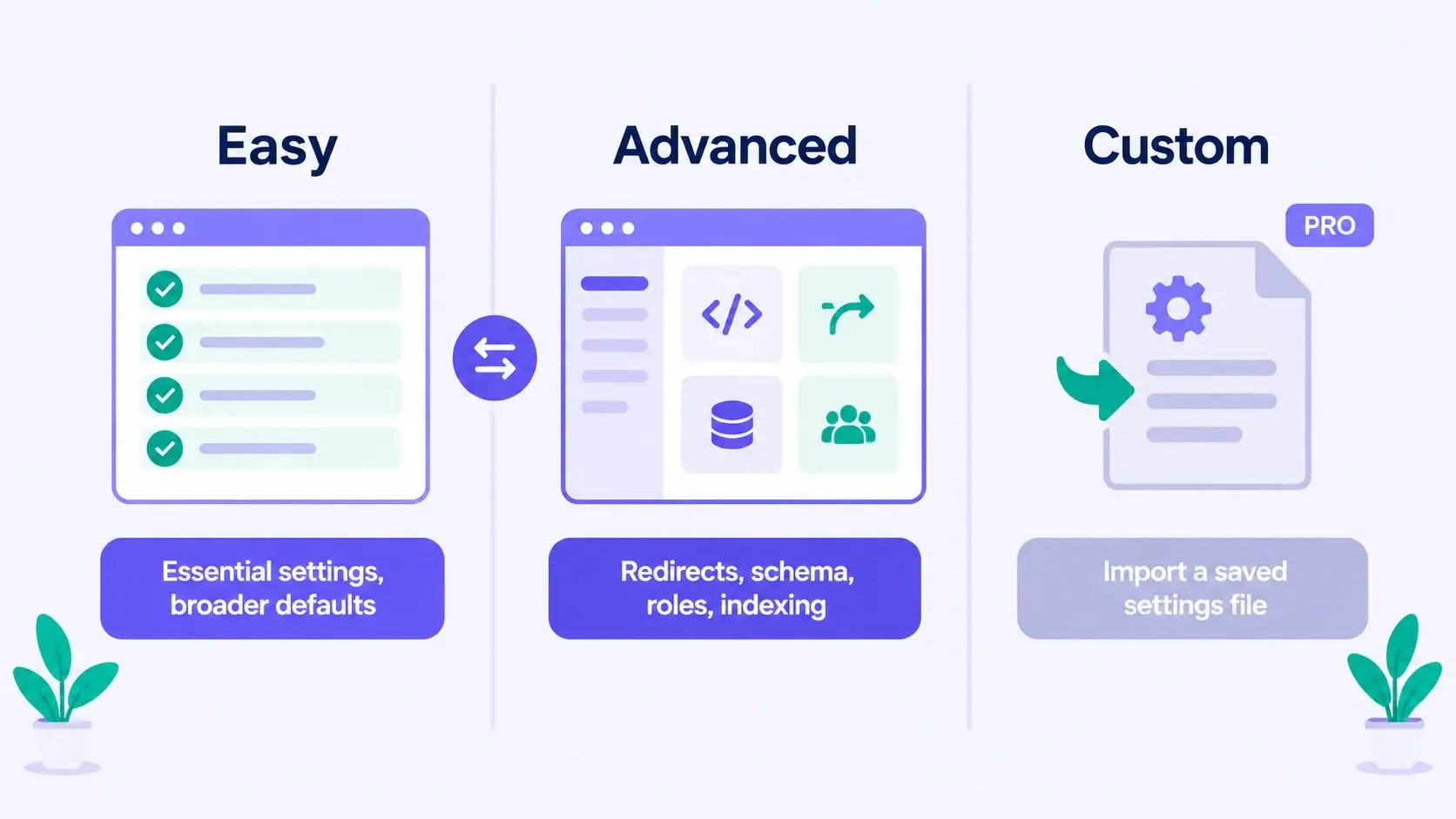
Choose Advanced when you understand which templates should be indexed and need control over redirects or schema. You can switch between Easy and Advanced later from the dashboard, so this is not a permanent decision.
Run the compatibility check
The wizard checks the environment and may flag plugins that overlap with Rank Math. Read each notice before disabling anything. A warning about another SEO plugin is expected during a migration, and the safe order is import, verify, then deactivate the old plugin.
Import without losing page-level work
Rank Math imports from several SEO and schema plugins including Yoast SEO, All in One SEO and SEOPress.
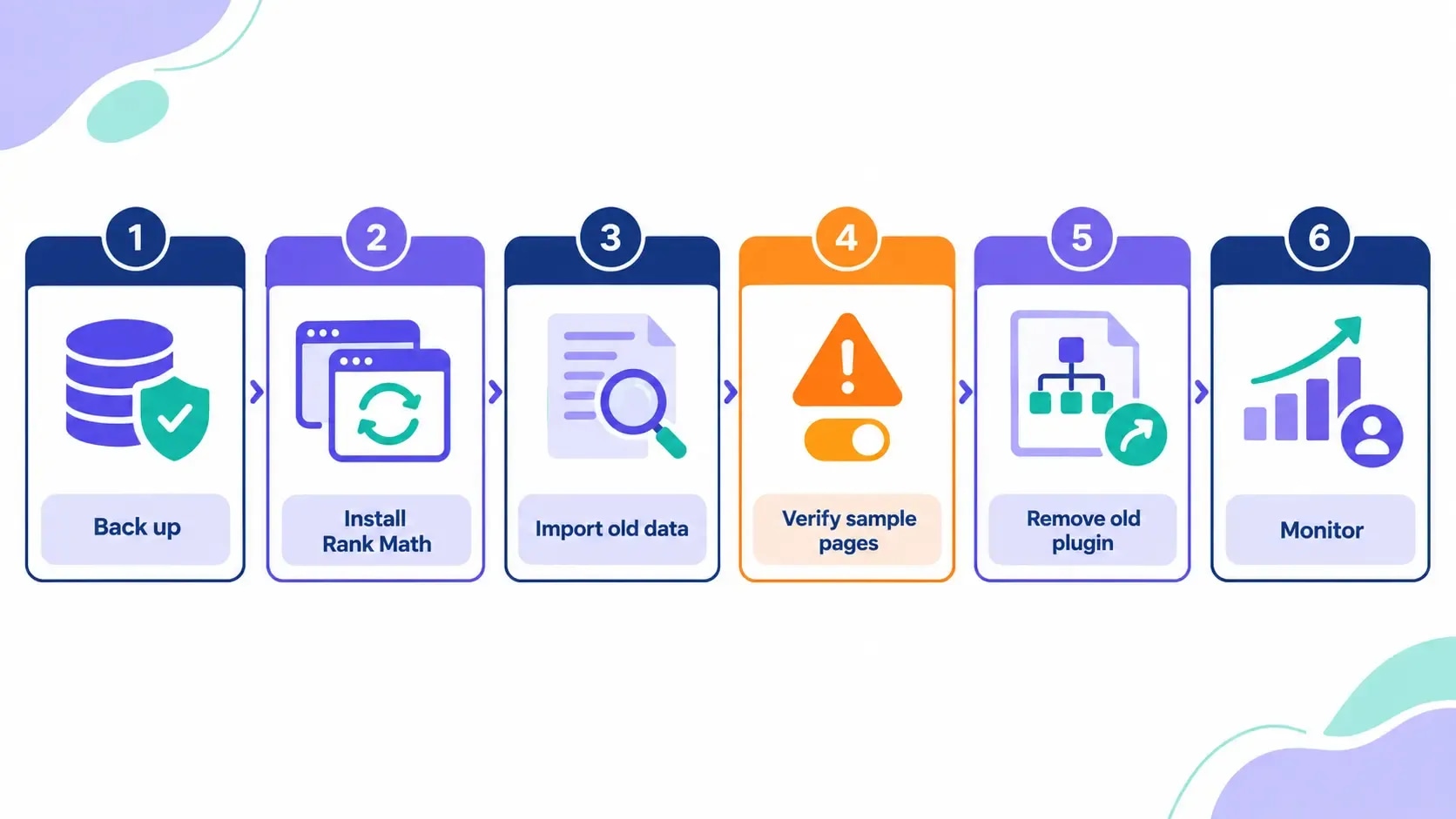
Which fields come across depends on the source plugin.
The importer stays available afterwards under Rank Math SEO, then Status and Tools, then Import and Export, so you do not have to rush the decision during setup.
Completing the wizard
Describe the website accurately. The site and entity type drive later schema defaults. A personal blog is not an organisation, and claiming otherwise produces markup that does not match the site.
Connect Search Console and Analytics if you will use them. The wizard also offers AdSense. Connect the property that matches the site and check it is the right one, because a mismatched property reports nothing useful.
Configure the XML sitemap. Rank Math's index is generally at /sitemap_index.xml, with child sitemaps split by post type and taxonomy [4]. Two things are worth understanding at this point. The sitemap tells Google which URLs you consider worth crawling, and Google treats that as a hint rather than a guarantee of crawling or indexing [5]. So a page missing from the sitemap can still rank, and a page listed in it can still be ignored. What the sitemap buys you is discovery and a cleaner signal about what you think belongs in search.
Apply basic optimisation settings carefully. These are broad switches that reach archives and attachments. Read what each one does before accepting it.
Set up 404 monitoring and redirects. Both sit in the advanced section after the main wizard. Enable the 404 monitor only if someone will actually read its log.
Settings worth reviewing after the wizard
This is where a setup guide has to stop being generic. The wizard gets you a working install; the review below is the part of a Rank Math setup that prevents one wrong default from propagating across thousands of URLs.
Titles and Meta
Open Titles and Meta and review the global settings, then each post type and taxonomy. For every template, decide whether those URLs should be indexable, whether the title pattern still reads well once variables are replaced, and whether the archive has enough unique value to satisfy a searcher.
Do not noindex author archives, categories, tags or date archives purely because a checklist says so. A single-author blog may have an author archive duplicating the main blog, while a publication may use author pages to establish expertise. Categories can be strong topic hubs when curated. Judge the actual template.
Leave established permalinks alone unless there is a measured reason to change them. If a URL must change, map every old URL to its closest replacement and update internal links.
Sitemap settings
Open the sitemap index in a private window and inspect the child files.
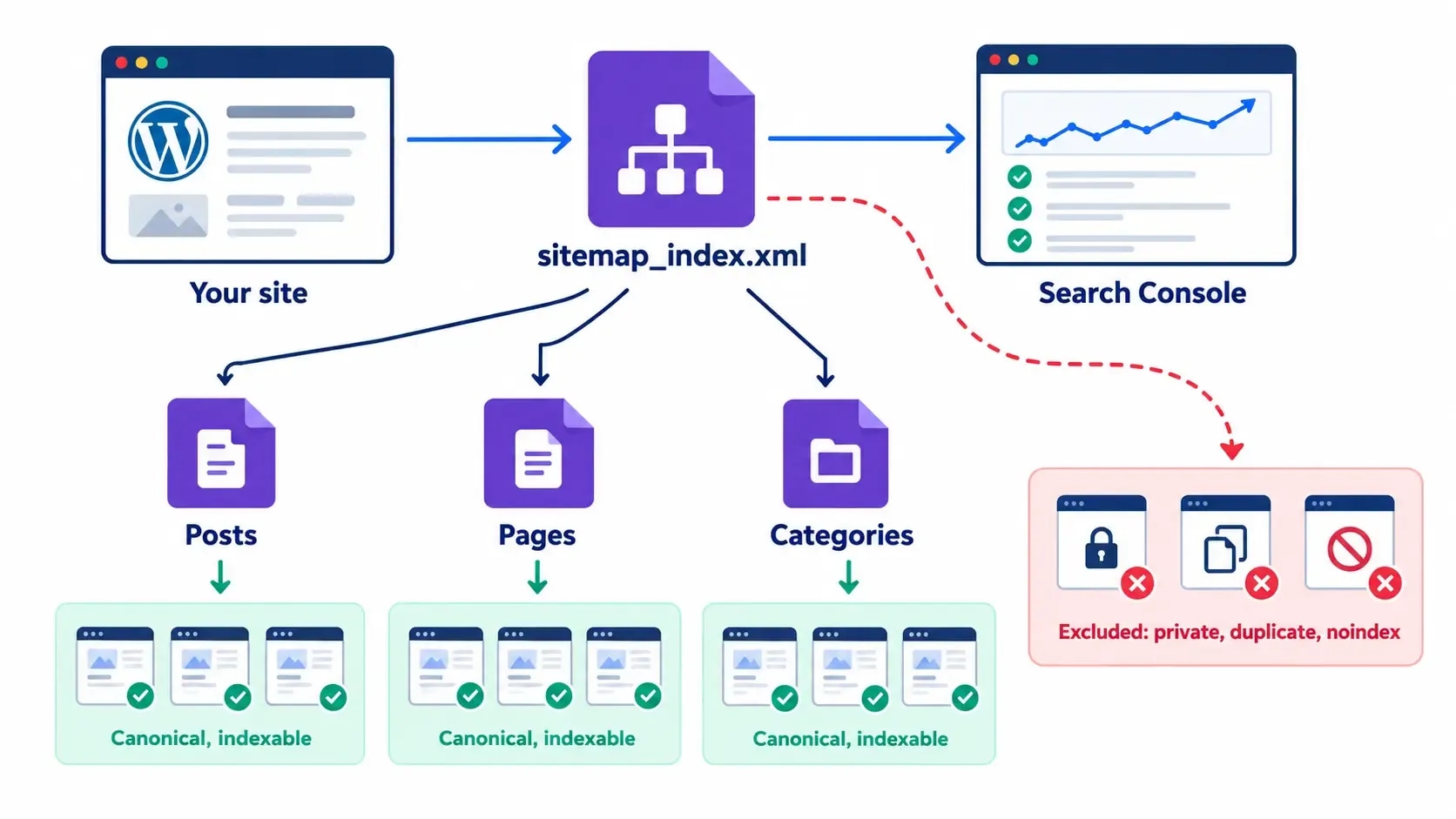
Every included URL should be canonical, indexable and worth appearing in search.
Common exclusions: private or members-only post types, thin utility pages, internal search results, duplicate templates, and anything deliberately noindexed.
Do not add a URL to the sitemap to work around a crawl block or a noindex directive. Resolve the conflict instead. Check too that the sitemap returns a successful response and is not being cached as an HTML error page. The XML sitemap strategy guide covers what belongs in one.
Schema templates
Set a default type matching most items in each post type. Blog posts commonly use Article or BlogPosting. Product pages need genuine product data, recipe markup belongs only on a recipe, and a how-to layout does not automatically qualify for a rich result.
Override the default when a page has a different purpose. Markup must describe the visible main content and required fields need real values. Google states that valid structured data creates eligibility for a rich result without guaranteeing one appears [6].
Test representative templates in the Rich Results Test. The structured data guide has more context.
Image SEO
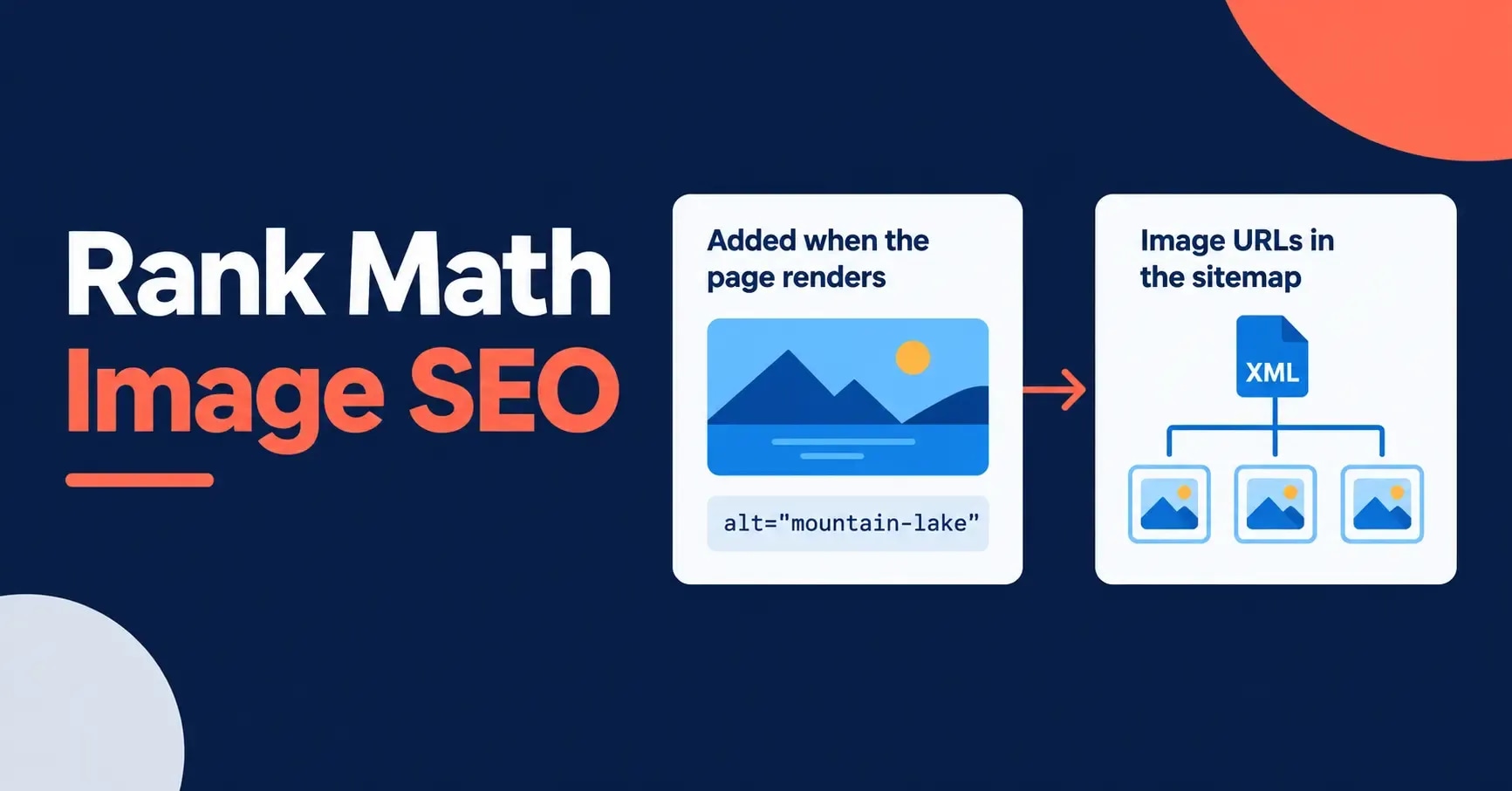
Rank Math can fill missing image attributes, but automation cannot know an image's purpose. Write alt text for meaningful images that conveys what a sighted reader gets, and leave genuinely decorative images with an empty alt attribute.
Avoid pushing the focus phrase into every image. The Image SEO settings guide covers where automation helps and where it causes damage.
Which modules to enable
Rank Math is modular, and that helps a Rank Math setup only if the dashboard stays intentional. Keep the modules that solve a current problem and leave the rest off until someone has a reason to use, and maintain, them.
| Module | Enable when | Avoid or delay when |
|---|---|---|
| Sitemap | Rank Math owns XML sitemaps | Another system owns them |
| Schema | Rank Math owns page schema | Another tool outputs it |
| Redirections | You track URL changes in Rank Math | The server or CDN owns redirects |
| 404 Monitor | You are diagnosing broken URLs | Nobody will review the log |
| Image SEO | Attributes are genuinely missing | It could overwrite careful alt text |
| Local SEO | Accurate local entity details exist | The site has no local entity |
| WooCommerce | The store uses WooCommerce | WooCommerce is absent |
| Role Manager | Users need different permissions | One administrator manages SEO |
After changing modules, clear the relevant caches and check the rendered HTML. The absence of a duplicate canonical or schema block matters more than whether a dashboard toggle looks right.
Verifying your Rank Math setup
Do not finish on the plugin's green checks. Verify what visitors and crawlers actually receive.
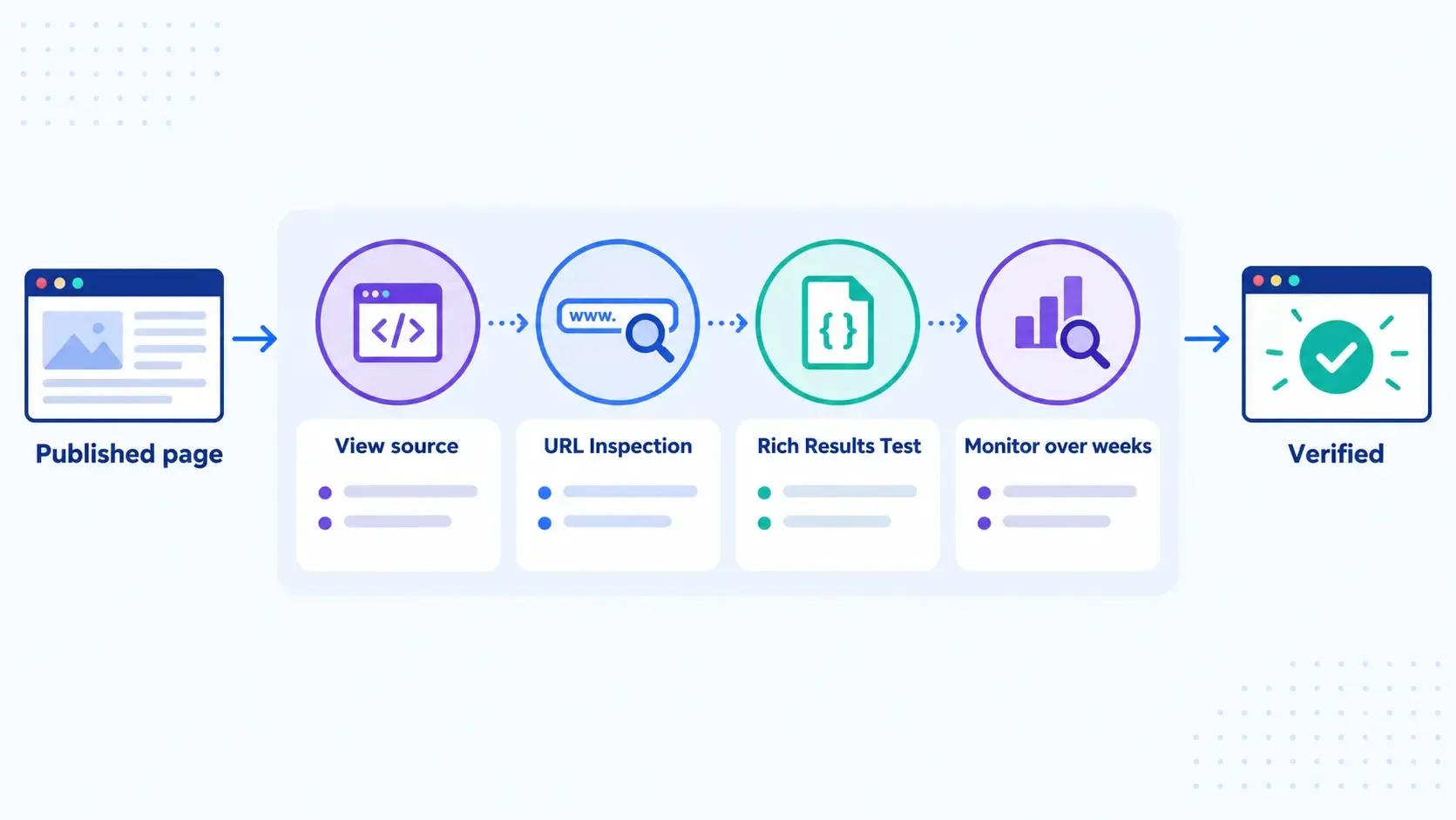
Inspect representative URLs. View source on a post, a page, an archive and your homepage. Confirm one title tag, one meta description, one canonical, and one schema block each.
Test crawling and indexing signals. Use Search Console URL Inspection on a handful of URLs. Setting up Search Console covers that side if it is not connected yet.
Validate structured data in the Rich Results Test, on templates rather than on one lucky page.
Watch results without claiming causation too early. Configuration changes and ranking changes happen on different timescales, and attributing one to the other after a week is how people learn the wrong lesson.
Troubleshooting
A field shows "not set"
This is the most common post-setup confusion and it rarely means anything is broken.
A field reading "not set" usually means one of two things. Either the value comes from a variable with nothing behind it, such as a custom field or an excerpt that does not exist on that post type, or an import did not map that field from your previous plugin.
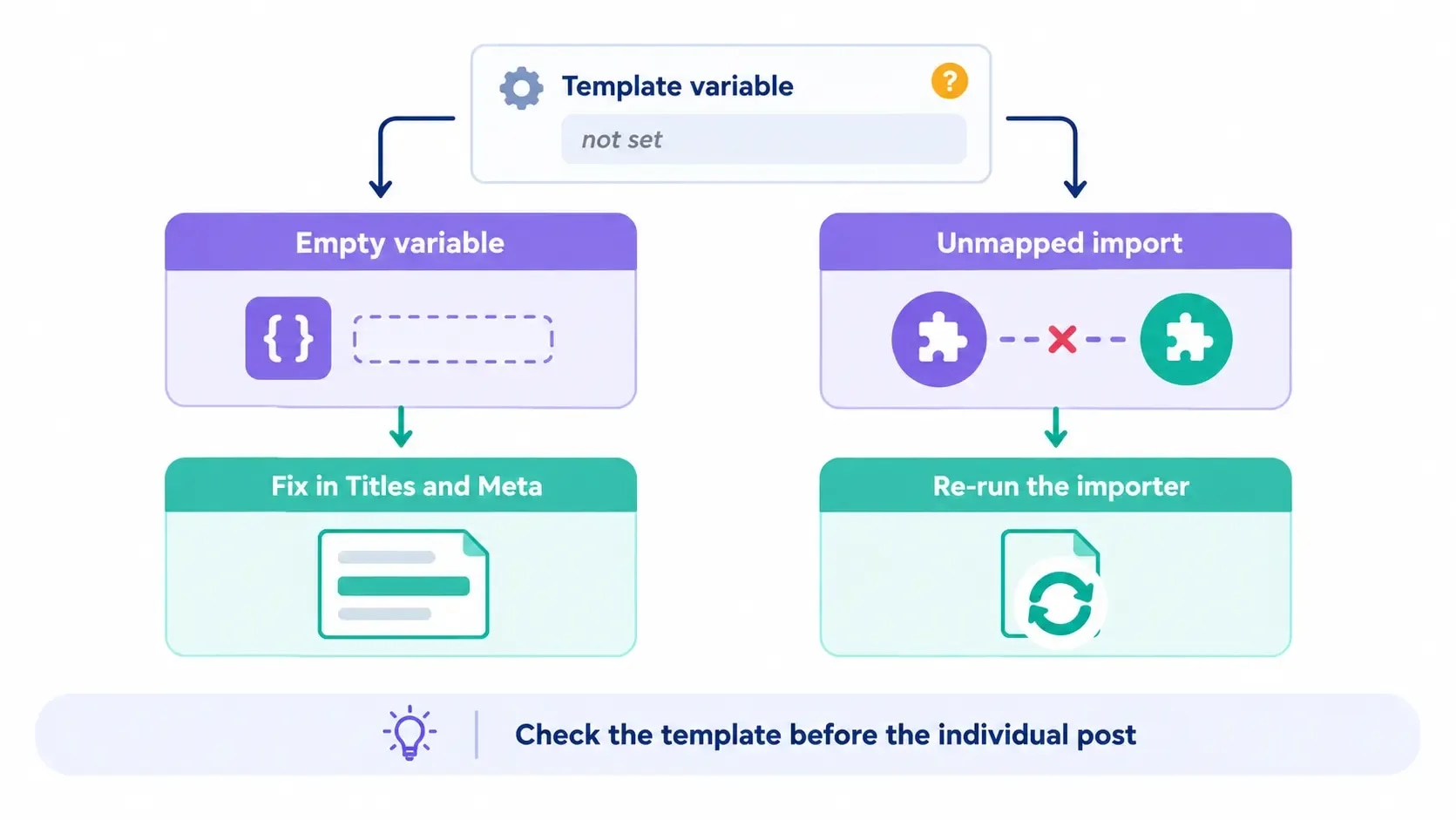
Check the template first under Titles and Meta, because a blank default there propagates everywhere. Then check the individual post. If it appeared after a migration, re-run the importer for that specific field type rather than editing posts by hand.
Two SEO plugins are both active
Deactivate one. Two plugins will both output titles, descriptions, canonicals and schema, and which one wins is unpredictable. Finish the import, verify, then deactivate and delete the old plugin.
The sitemap returns an error or shows nothing
Check that the sitemap module is enabled, then that a caching layer is not serving a stale or error response. Open it in a private window to rule out caching on your own session.
Changes do not appear on the front end
Almost always caching, at the plugin, host or CDN level. Clear all three before concluding the setting did not apply.
Rank Math setup mistakes worth avoiding
- Running two SEO systems at once. Covered above, and the most common.
- Changing permalinks during a plugin migration. Two large changes at once, and you will not know which caused what.
- Indexing every archive by default. Judge each template rather than applying a blanket rule in either direction.
- Treating the SEO score as a ranking formula. The score checks selected on-page elements inside the plugin. Google does not use it, and no third-party tool can guarantee a position.
- Expecting a toggle for AI visibility. There is no plugin setting that puts a page into AI Overviews. Google says the same foundational practices apply and that no special schema or AI file is required.
The bottom line
The wizard is the easy part. The configuration that matters in a Rank Math setup is the post-wizard review, where you decide which templates belong in search, what schema honestly describes each post type, and which modules someone will actually maintain.
For most sites the free version is sufficient, and the upgrade case is schema breadth or rank tracking rather than anything the setup depends on.
Then verify outside the plugin, because the only output that counts is the one Google receives.
Frequently Asked Questions
What are the best Rank Math settings for a new WordPress site?
Start with the correct site type and entity, connect Search Console if you will use it, enable sitemaps for indexable content only, set a truthful default schema per post type, and leave advanced modules off until something needs them. The best settings depend on which archives, post types and features your site actually uses, so treat any universal settings list with suspicion.
Is Rank Math free version enough?
For most sites, yes. The free version includes unlimited keyword optimisation, redirections with 301, 302, 307, 410 and 451 plus regex support, both the simple and advanced 404 monitor, and 24 schema types. PRO adds 840 or more schema types, redirect management tools such as categories, scheduling and CSV import, keyword rank tracking and deeper Analytics integration. Upgrade when one of those solves a problem you actually have.
Why does Rank Math show "not set" on a field?
Usually because the value is coming from a variable that has nothing behind it, or because an import did not map that field from your previous plugin. Check the template under Titles and Meta first, then the individual post. If it appeared after a migration, re-run the importer for that specific field type rather than editing hundreds of posts by hand.
Should I choose Easy or Advanced mode?
Easy when the person maintaining the site is unlikely to review technical settings, Advanced when you understand which templates should be indexed and need control over redirects or schema. You can switch later from the Rank Math dashboard, so the decision is not permanent. Custom mode exists too, but it is a PRO option for importing a saved settings file.
Will a high Rank Math SEO score improve my Google ranking?
Not by itself. The score checks selected on-page elements inside the plugin. Google does not use a Rank Math score as a ranking signal, and no third-party tool can guarantee a position. Use the score to catch omissions, then spend the time on search intent, useful content and technical accessibility.
Can I run Rank Math alongside another SEO plugin?
No. Two SEO plugins will both output titles, descriptions, canonicals and schema, producing duplicate and conflicting markup. During a migration the safe order is import, verify on sample pages, then deactivate and delete the old plugin.
Sources and References
Was this guide helpful?
Your answer helps Anobee improve future updates.

Written by
Bibek Thapa
AI-Powered Digital Growth Strategist
Bibek Thapa works across AI workflows, SEO, AI search optimization, content strategy, website growth, and productivity systems at Anobee.
- AI workflows
- Digital growth
- SEO
- GEO
- AEO
- Content strategy
- Website growth