Content & Marketing
How to Update Old Blog Posts for SEO: What to Change, What to Leave
By Bibek Thapa · Updated · 14 min read
Quick Answer
To update old blog posts well, improve what the page says rather than changing when it says it. Pick posts that already rank between roughly position 5 and 20, compare them against what currently ranks, then fix the specific gap you find. Changing the date or adding the current year to a heading does nothing on its own, and Google says so directly.
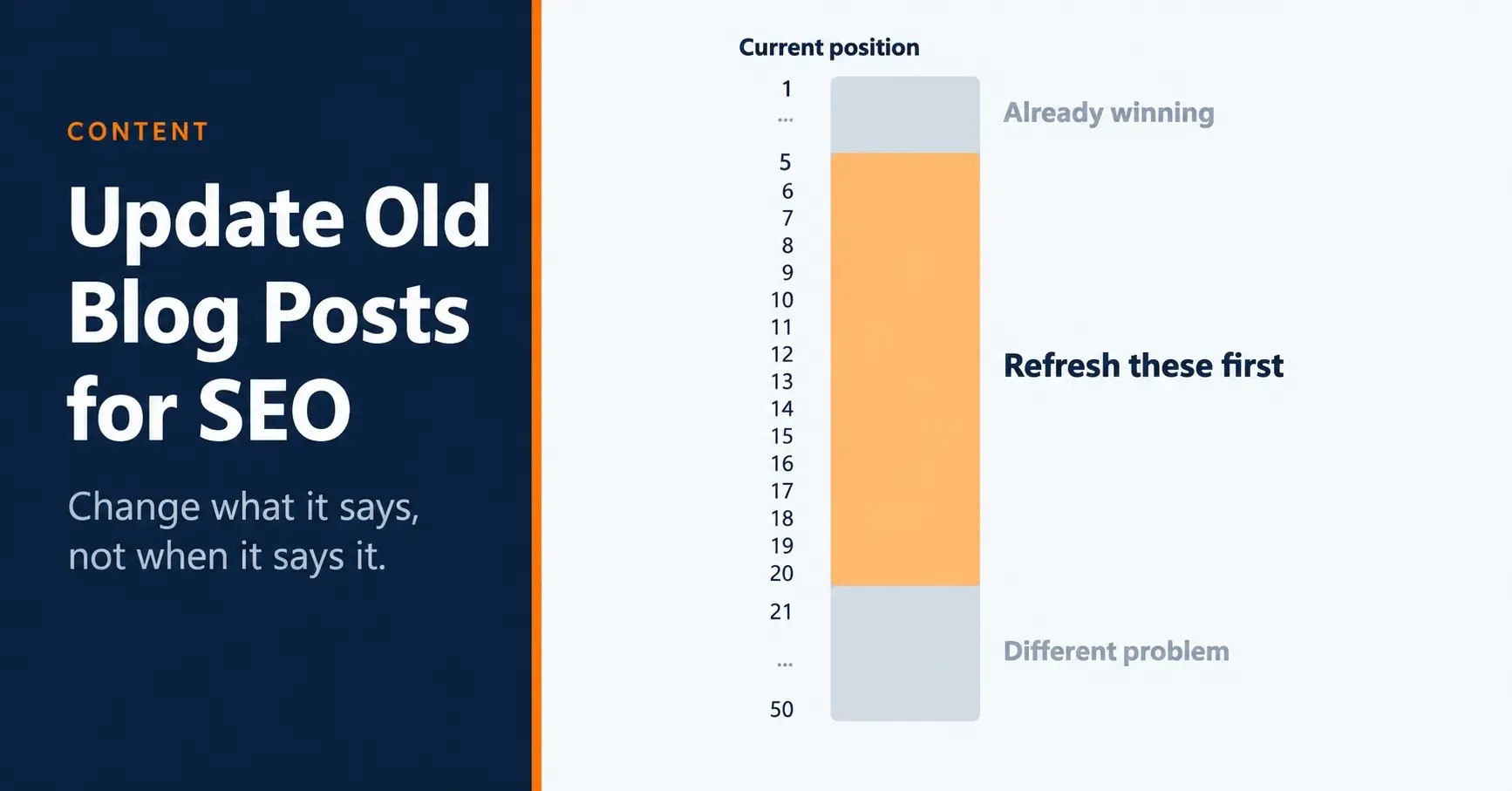
Table of ContentsOn this page
- Why old posts lose traffic
- Step 1: Pick the right post
- Step 2: Find the actual gap
- Step 3: Change what needs changing, and nothing else
- Step 4: Then fix the supporting pieces
- Step 5: Set the date honestly, and record what you did
- Step 6: Schedule the next one
- A note for Nepali bloggers
- Mistakes that cost traffic when you update old blog posts
- The bottom line
- Frequently Asked Questions
- Sources and References
Key Takeaways
- Google asks whether you are changing content to seem fresh and answers its own question: no, it will not help rankings.
- Dates must describe when the page was published or updated, not be set forward to look current.
- Refresh posts that already rank between roughly position 5 and 20, where small gaps separate you from the top.
- Compare your page against what currently ranks before changing anything, or you are guessing at the problem.
- Rewriting a page that already works is the most common way a refresh loses traffic instead of gaining it.
- A refresh is a content decision first. Title, schema and link fixes come after the content gap is closed.
- Put the next review in a calendar, because content decay is quiet and nothing alerts you to it.
Search for advice on how to update old blog posts and you will meet the same tip near the top of almost every result: republish with a new date. Several pages call it the easiest win available. One suggests adding the current year to a heading while you are there.
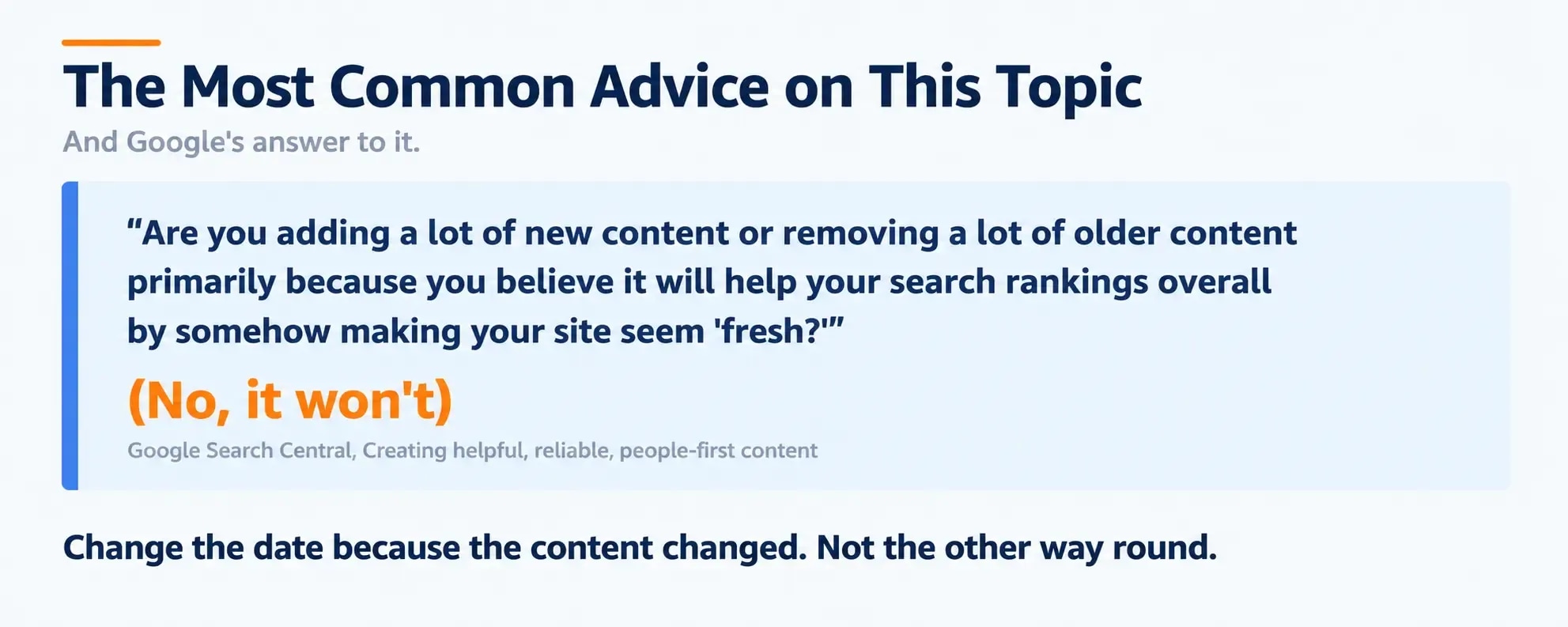
Google has answered that one in writing. Its guidance on helpful content lists, among the questions worth asking about your own work: "Are you adding a lot of new content or removing a lot of older content primarily because you believe it will help your search rankings overall by somehow making your site seem 'fresh?' (No, it won't)" [1].
The parenthesis is Google's, not mine.
So this guide is about the other thing, the part that does work and takes longer. To update old blog posts in a way that moves anything, you have to decide which post to refresh, find the actual gap, and change only what needs changing. The previous version of this page covered nine steps, seven of which are covered properly elsewhere on this site. Those are now links rather than summaries, and what remains is the part nothing else here covers.
Why old posts lose traffic
A page rarely gets worse on its own. What happens is that everything around it changes.
Competitors publish something more complete. The query itself shifts, so the kind of page Google wants for it is no longer the kind of page you wrote. Facts in the article go stale while the writing stays confident. Newer posts on your own site absorb the internal links the old one used to get.
None of that announces itself. Traffic does not fall off a cliff; it drifts down over months, and by the time the drop is obvious in a dashboard it has usually been running for two or three quarters. That is the real argument for a scheduled review rather than a reactive one.
Step 1: Pick the right post
This is the step that decides whether the work pays off, and it is the one most guides skip past.
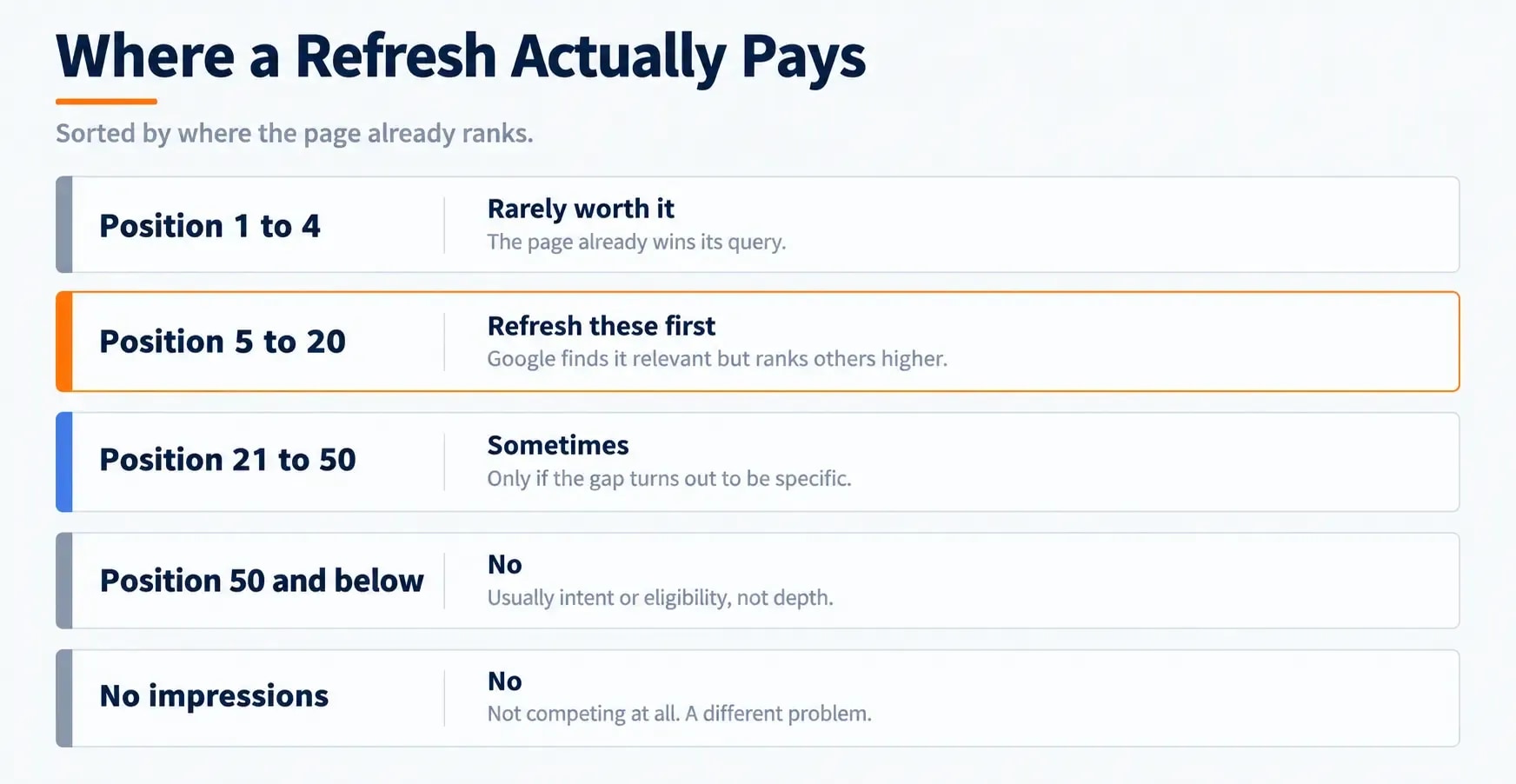
Open the Performance report in Search Console [3], set the window to the last three months, and sort by impressions. What you are looking for is not your best page or your worst, but the ones in a specific band.
| Current position | What it usually means | Worth refreshing? |
|---|---|---|
| 1 to 4 | The page already wins its query | Rarely. Leave it alone unless facts are stale |
| 5 to 20 | Google finds it relevant but ranks others higher | Yes. This is the band where a refresh pays |
| 21 to 50 | Relevant enough to appear, far from competitive | Sometimes, if the gap turns out to be specific |
| 50+ | Usually an intent or eligibility problem, not a depth one | No. Diagnose before writing |
| No impressions | Not competing at all | No. This is a different problem entirely |
The band from 5 to 20 is where refreshes work because Google has already decided the page belongs in the conversation. Something specific is keeping it below the pages above it, and specific problems can be found.
Two other things worth sorting for while you are in there. Pages with high impressions and a low click rate have a snippet problem rather than a content problem. Pages that used to perform and no longer do are decaying, and the content audit guide covers how to spot that pattern across a whole library rather than one page at a time.
If Search Console is not set up yet, that is the prerequisite, and the Search Console setup guide covers it.
Step 2: Find the actual gap
Do not start editing. Start comparing.
Search your target query in a private window and open the top three results. Then work through four questions, in this order:
Is it the same kind of page? If the results are comparison posts and yours is a how-to, no amount of editing fixes that. This is the one failure that makes the rest of the exercise pointless, and it is worth settling before anything else. The search intent analysis guide goes into how to read a SERP for format rather than topic.
What do they cover that you do not? List every H2 and H3 they carry that your page lacks. Then cross off the ones that are padding. What survives is your gap, and it is usually two or three subtopics rather than two thousand words.
Is anything they offer missing from yours? Tables, worked examples, original data, screenshots, a calculator. Format is content. A page that answers the same question more usably is the better page.
What is stale in yours? Prices, product names, version numbers, screenshots of interfaces that have been redesigned, statistics with no date, links that now redirect or 404.
That list is your scope of work. Everything outside it stays as it is.
Step 3: Change what needs changing, and nothing else
The most common way a refresh goes wrong is enthusiasm. Someone opens an old post, decides the writing is dated, rewrites it end to end, and loses the sections that were doing the ranking.
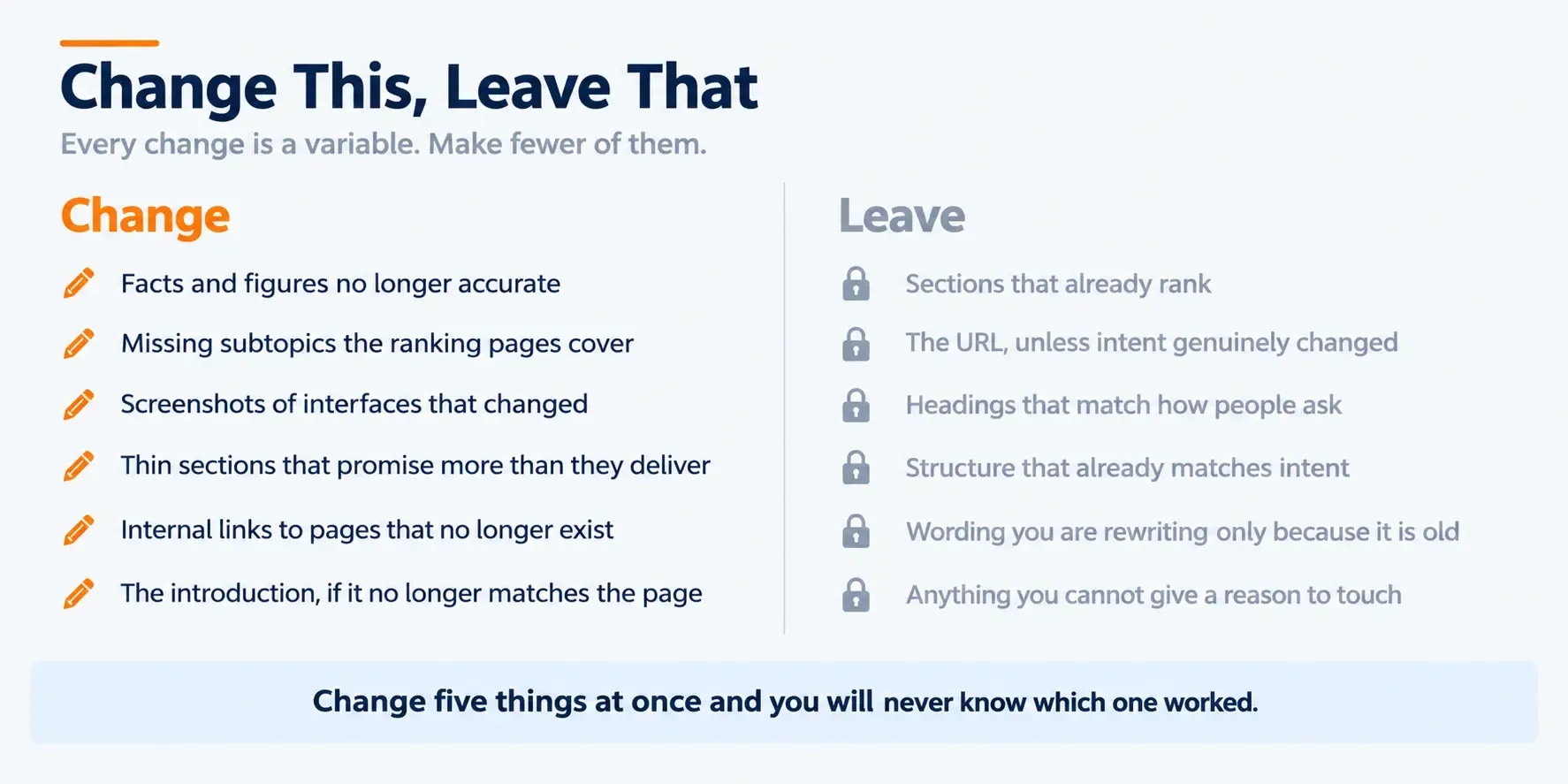
| Change this | Leave this alone |
|---|---|
| Facts, figures and dates that are no longer accurate | Sections that already rank or earn time on page |
| Missing subtopics the ranking pages cover | The URL, unless the intent genuinely changed |
| Screenshots of interfaces that have changed | Headings that match how people phrase the query |
| Thin sections that promise more than they deliver | The overall structure, if it already matches intent |
| Internal links to pages that no longer exist | Wording you are only rewriting because it is old |
| The introduction, if it no longer matches the page | Anything you cannot articulate a reason to touch |
Two principles sit behind that table. Age is not a defect, and a sentence written two years ago that is still accurate and still clear needs nothing. And every change you make is a variable, so the more you change at once, the less you will be able to say about what worked.
Step 4: Then fix the supporting pieces
Only once the content gap is closed. These are real, and they are second, because a well-linked page that does not answer the question still does not answer the question.
- The snippet. If impressions were high and clicks were not, the title and meta description are the problem rather than the body. The on-page SEO checklist covers what makes a title honest as well as clickable.
- Internal links in. A refreshed page deserves links from your stronger related pages. Internal linking strategy covers how to find which of your pages currently point at it, which is usually fewer than you expect.
- Internal links out. Point to whatever you have published since, which is often the real reason an old post feels dated.
- Schema. If the page qualifies for a rich result and does not have the markup, add it. Structured data for bloggers covers the types worth bothering with.
- Topic coverage around it. Sometimes the page is fine and the surrounding cluster is thin, which is a topical authority problem rather than a page problem.
Step 5: Set the date honestly, and record what you did
Change the modified date because the content materially changed. That is the whole rule.
Google's guidance on publication dates is that "The dates must describe the publication or update date of the page" [2]. A date moved forward on a page that gained a new paragraph and a swapped screenshot is not describing an update so much as performing one.
The year in a title follows the same logic. It earns its place when the content is genuinely annual, such as pricing or a version comparison. On an evergreen guide it creates a maintenance obligation, and a title reading 2024 in 2026 costs more trust than no year would have.
Then write down what you changed and when. Not for Google, for you. If the page moves in six weeks and you changed five things, you will want to know which five. If you are tracking this across a library, the content ROI framework covers what your analytics can and cannot actually attribute.
Step 6: Schedule the next one
A refresh is maintenance, not a project, and the difference shows up about eight months later.
A workable rhythm for most sites: update old blog posts in the top twenty by impressions once a quarter, and review everything else once a year. Put it in a calendar with a name attached. The habit is what catches decay early, because nothing else will.
For distributing the refreshed post once it is live, rather than leaving it to be rediscovered, the content distribution checklist covers the mechanics.
A note for Nepali bloggers
Local-language and local-market posts decay differently. The competing set is smaller and changes more slowly, which means an older post can hold its position far longer than it would in a crowded English market, and it also means a single well-executed refresh can be decisive.
The practical difference is in step 2. There are often fewer than three serious competing results to compare against, so the gap analysis turns into a question about what readers need rather than what rivals published. Keyword research for a Nepali blog and the blogging platform comparison for Nepal cover the groundwork.
Mistakes that cost traffic when you update old blog posts
- Rewriting what was working. The single most expensive error, and the easiest to make.
- Changing the URL. It throws away the page's history for a cosmetic gain. If the slug is genuinely wrong, that is a deliberate migration with redirects, not part of a refresh.
- Changing everything at once. You will never know what worked.
- Refreshing pages that never ranked. Those have an intent or eligibility problem that more words will not touch. Check the technical SEO basics before assuming content is the issue.
- Treating the date as the deliverable. Covered above, and worth repeating, because it is the most common advice on this topic and it is wrong.
- Checking the result the next morning. Recrawling takes as long as it takes, and a week of data proves nothing either way.
The bottom line
The page you already published is usually worth more than the one you have not written yet, because it has history and because the gap between it and the results above it is often small and findable.
Find the post in the 5-to-20 band. Compare it against what ranks. Close the specific gap. Change the date because the content changed, and not for any other reason.
Frequently Asked Questions
Does updating the publish date help SEO?
On its own, no. Google's guidance on helpful content asks directly whether you are adding or removing content primarily to make a site seem fresh, and answers that it will not help rankings. Dates should describe when the page was genuinely published or updated. Change the date because you changed the content, not the other way round.
Which old blog posts should I refresh first?
Start with pages that already rank between roughly position 5 and 20. Their presence shows Google already considers them relevant, so the gap between them and the top results is usually specific and findable. Pages that have never ranked for anything are a different problem, and pages already in the top three rarely need the work.
How much of an old post should I rewrite?
As little as closes the gap. Rewriting sections that already work is the most common way a refresh loses traffic rather than gaining it. Find what the ranking pages cover that you do not, add that, update anything factually stale, and leave the rest alone.
How do I know whether a refresh worked?
Record the date you published the change and the page's position and impressions beforehand, then compare over a window long enough to survive normal volatility. Search Console is the measurement tool. Attribute carefully, because if you changed five things at once you cannot tell which one moved the page.
Should I add the current year to the title?
Only if the content is genuinely year-specific, such as pricing or a version that changes annually. A year in the title creates an obligation to keep it accurate, and a title reading 2024 in 2026 does more damage than no year at all. Most evergreen guides are better without one.
Is it better to update an old post or write a new one?
Update the old one when it already covers the same search intent, because it has whatever history, links and crawl familiarity it has accumulated. Write a new page when the intent is genuinely different. Publishing a second page for the same intent gives you two pages competing with each other rather than one that wins.
Sources and References
Was this guide helpful?
Your answer helps Anobee improve future updates.

Written by
Bibek Thapa
AI-Powered Digital Growth Strategist
Bibek Thapa works across AI workflows, SEO, AI search optimization, content strategy, website growth, and productivity systems at Anobee.
- AI workflows
- Digital growth
- SEO
- GEO
- AEO
- Content strategy
- Website growth